To search
You are here: > > > Picnic
Softonic Rating:
Very good:8/10
License:
Evaluation
Added:
September 5, 2007
Updated:
October 5, 2007
Publisher:
Website
File size:
3.1 MB
Downloads:
249
Cyril Roger

“Bring your files!”

by Cyril Roger

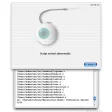
Picnic is another solution to easily share files or folders between two Macs. Make sure Picnic is set up on your computers first and that your local area network is working properly. Once this is done, you'll only need to work in the Picnic interface. Press the + button at the bottom left to add new folders or files that you wish to add. They'll all be listed on the left side of the interface. On the right, the program is neatly divided into three tabs for subscribers, conflicts and queues to monitor your synchronisation. When you add a folder to Picnic it should appear in the Picnic folder, from where you'll be able to sync it to your other Mac.

You can effortlessly subscribe or unsubscribe to other users thanks to the button at the bottom of the interface and Picnic lets you add a password to protect your files. Mac users will also appreciate that Picnic can sync all user accounts using Bonjour. Even though synchronizing files can bug every now and then, Picnic offers a simple, no-fuss process to transfer files on a local area network.


Languages:

English, French

OS requirements for Picnic:

  • OS: Mac OS X

Minimum requirements:

  • Processor: PPC/Intel MHz
  • Mac OS X 10.4 or later
  • At least two users running the software on the same local area network.
Pros
  • Sync users with Bonjour
  • Easy to select folders to share
  • Set password
  • Subscribers/conflicts/queue showed in tabs
Cons
  • Can crash
Did you like this review?
6 of 9 users liked it (67%)

Picnic Softonic Rating: 8Featured program

Softonic gives special recognition to software of exceptionally high quality. More information

From the publisher of Picnic

Picnic is a revolutionary new collaborative file syncing application for Mac OS X to run on two or more Macs on a common local area network (LAN/WLAN). It offers the ability to create synced folders of files which are automatically synchronized between all user's accounts using Bonjour. As such, it offers an easier alternative to file server based shared folders or network drives.

Posts about Picnic in our blog

Picnic options

Picnic Options
Softonic Rating:Very good
9/10

User Rating

1 rating
Usability
  • Currently 10/10.
Stability
  • Currently 9/10.
Installation
  • Currently 10/10.
Functionality
  • Currently 9/10.
Appearance
  • Currently 10/10.

Download stats

Are you the developer of Picnic?

If your program has received a Softonic rating, feel free to use the following award badge on your site or as part of any other promotional feature you may be putting together.

Picnic Softonic Rating

Click on the above text field to copy the necessary HTML to your clipboard and then paste it to your website. It will display your program's Softonic Rating and will link to your program page.

Any queries? Contact us if you want more info.

Close